Contact > API Integration
This section supports developers integrating CoinPayments’ API, webhooks, SDKs, and merchant tools.
Use this route for:
- API authentication questions
- Webhook callbacks, signatures, or delivery issues
- Checkout integration and payment flow errors
- Environment setup or sandbox issues
- Feature implementation guidance
Include logs, request samples, and environment details to reduce round-trip troubleshooting time.
Telegram
You can add our Telegram integration to your Telegram group which will connect you with the sales team. This allows you to bring your team to collaborate in the same discussion, enabling real-time coordination with a sales representative.
1. Create a new Telegram group and name it after your business.
Example"Company x Coinpayments - API Integrations"
2. Add the Integrations bot as a member of the group:
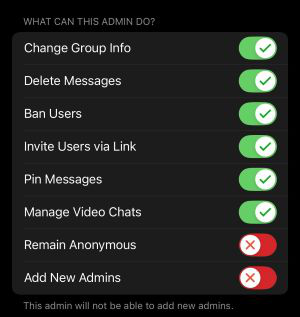
3. Now make the bot an admin of the group with the permission below:
Note:
If the permissions do not match the integration will not work.
4. Send a message to the bot that includes
- Brand name of your company
- legal entity if different
- First Name
- Last name
- Email address associated with your account
- What you need help with (if required)
Once completed, you will be connected with a member of our Tech team who can assist you with understanding our API documentation or technical issues
Note:
Although we refer to this as a “bot,” all replies you receive are from live agents.
Slack
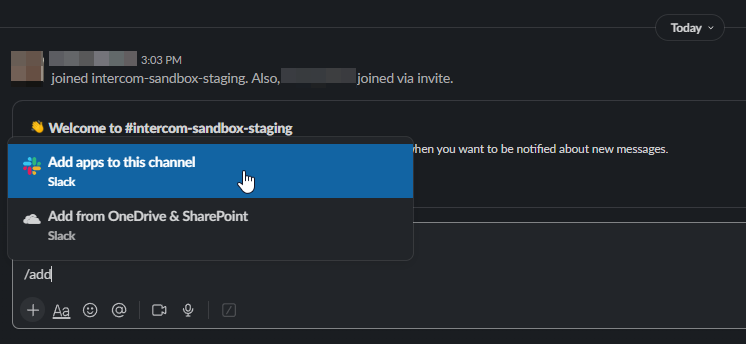
Execute the /add Command
This will prompt you to install an application to the current channel.
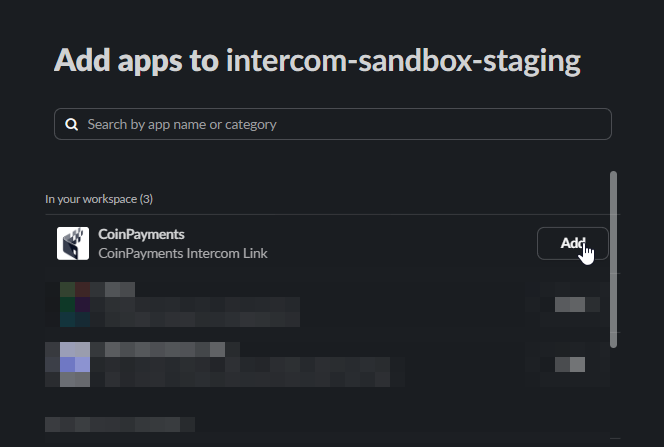
Add the "CoinPayments" App
Locate the "CoinPayments" Support app within Slack.
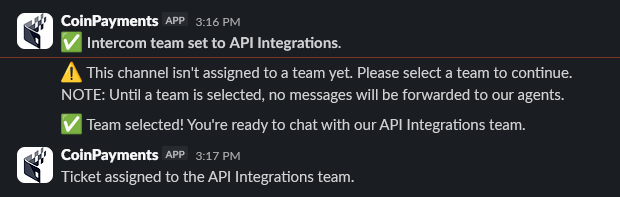
Select Inbox Type
Select the department you would like this conversation to be opened with.

Optional: Remove Slack Connection
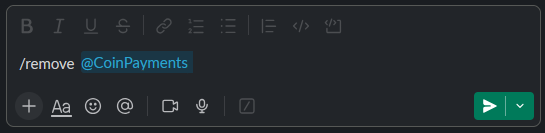
Execute the /remove @CoinPayments command to remove the integration.